
Santol Edge Team
AI Research & Engineering at Santol Edge
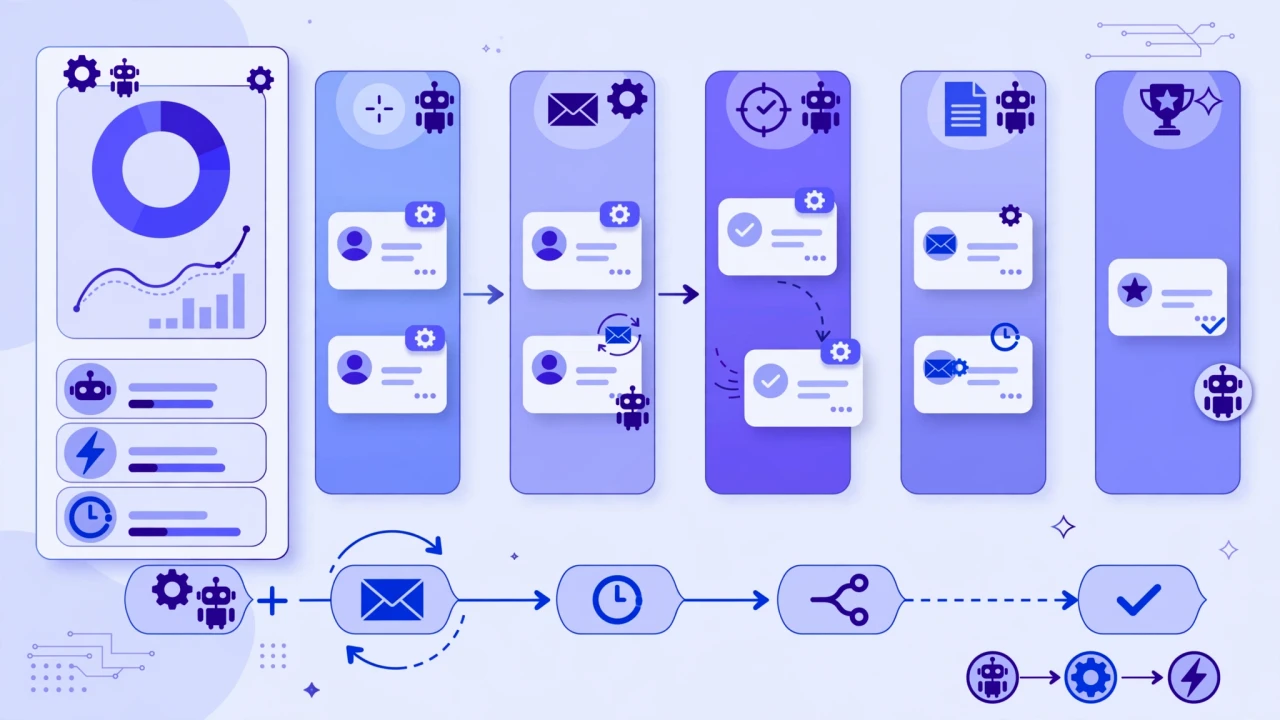

“CRM Automation: What to Automate First in Your Business”
tasks on its own: capturing leads, sending follow-ups, logging activities, and keeping your pipeline tidy. Done well, it saves hours every week and stops leads from slipping through the cracks.
The big question is where to start. Automating everything at once is the most common mistake — it usually creates a mess that your team stops trusting.
The Golden Rule: Fix the Process, Then Automate It
Before touching any automation, map out what actually happens today. Start with tasks at are:
Repetitive and time-consuming
Easy to standardize
Prone to human error or forgetfulness
Important enough to affect customers or sales
Then roll out automation in stages, check the results, and expand.
1. Lead Capture — Make Sure Every Lead Lands in the CRM
The single highest-value automation: every enquiry, form submission, and chat conversation should create a contact record in your CRM automatically.
2. Instant First Response
Automate this before anything fancy:
Instant confirmation email or SMS when a lead comes in.
An internal notification so your team knows a new lead arrived.
Assignment to the right person, based on territory, product interest, or availability.
3. Follow-Up Sequences
Automate a simple sequence:
- Day 1: the initial response and a helpful resource.
- Day 3: a check-in with something useful.
- Day 7: a final nudge or a different angle.
If the lead engages, hand them to a real person immediately.
4. Data Entry and Activity Logging
Automate activity capture: sync emails, calendar events, and call records into the CRM hout manual logging.
5. Appointment Reminders and Pipeline Hygiene
Automate confirmations and reminders to cut no-shows. Add pipeline hygiene: automatic task creation for stale deals and alerts when a high-value opportunity has had no activity.
What to Keep Human
Discovery conversations — understanding a prospect's real situation needs a person.
- Negotiation and pricing discussions — judgment calls, not scripts.
- Sensitive or upset customers — empathy cannot be automated.
- Relationship-critical moments — renewals, referrals, and partnerships.
What Does CRM Automation Cost?
It depends on the CRM you use and how much custom work is needed. For reference, our CRM Setup is $999 one-time on santoledge.com, and our AI Automation Audit is $149 one-time. If you want ongoing help, support plans run $299–$999/month.
Every engagement starts with a free consultation, and you get a fixed quote before any work begins.
Frequently Asked Questions
Which CRM should I use for automation?
The best CRM is the one your team will actually use. Popular options like HubSpot, esforce, Pipedrive, and Zoho all support workflow automation. Pick based on your team and budget — and get the setup done properly once, rather than switching later.
### How long does it take to set up CRM automation?
A basic setup — lead capture, first response, and a follow-up sequence — can be live within a week or two once your process is mapped.
### Will automation annoy my customers?
Only if it is built badly. Short, useful, well-timed messages feel helpful. Long, frequent, generic blasts feel like spam.
## The Bottom Line
Start with lead capture, instant first response, and follow-up sequences — the highest-frequency, highest-impact wins. Add data automation and pipeline hygiene next. Keep discovery, negotiation, and relationships human.
Not sure what your business should automate first? That is exactly what our $149 AI Automation Audit answers.
[Contact us](/contact)
Santol Edge Team
AuthorWrites extensively about generative AI, autonomous agent design, enterprise automation architectures, and customer experience engineering at Santol Edge.
Read Next

How AI Automation Helps Modern Businesses Scale 10x Faster
Discover how forward-thinking companies are deploying intelligent agents and automated pipelines to reduce overhead and boost revenue.

How AI Chatbots Transform Customer Support and Business Growth
Learn how AI chatbots improve customer response times, qualify leads, support teams, and create more consistent customer experiences.

AI Voice Agents: What They Are and How They Work
Understand where voice agents add value, how they connect with business systems, and what to consider before launching one.
Community Comments (0)
Sep 24, 2026Elisa Gabriella
VP of Operations · BrightSync
“A genuinely useful piece — the point about consolidating thin pages matches what we saw on our own platform last year. Deploying automated workflows cut roughly half our manual ticket volume and resolution speed went up significantly.”
Leave a Reply
Your email address will not be published. Required fields are marked *